How to remove your account
You can delete your Cipher Connect account at any time from the app. Removal is permanent — your profile, messages, and associated data on our servers are deleted and cannot be recovered.
-
Open Settings and tap Remove account.
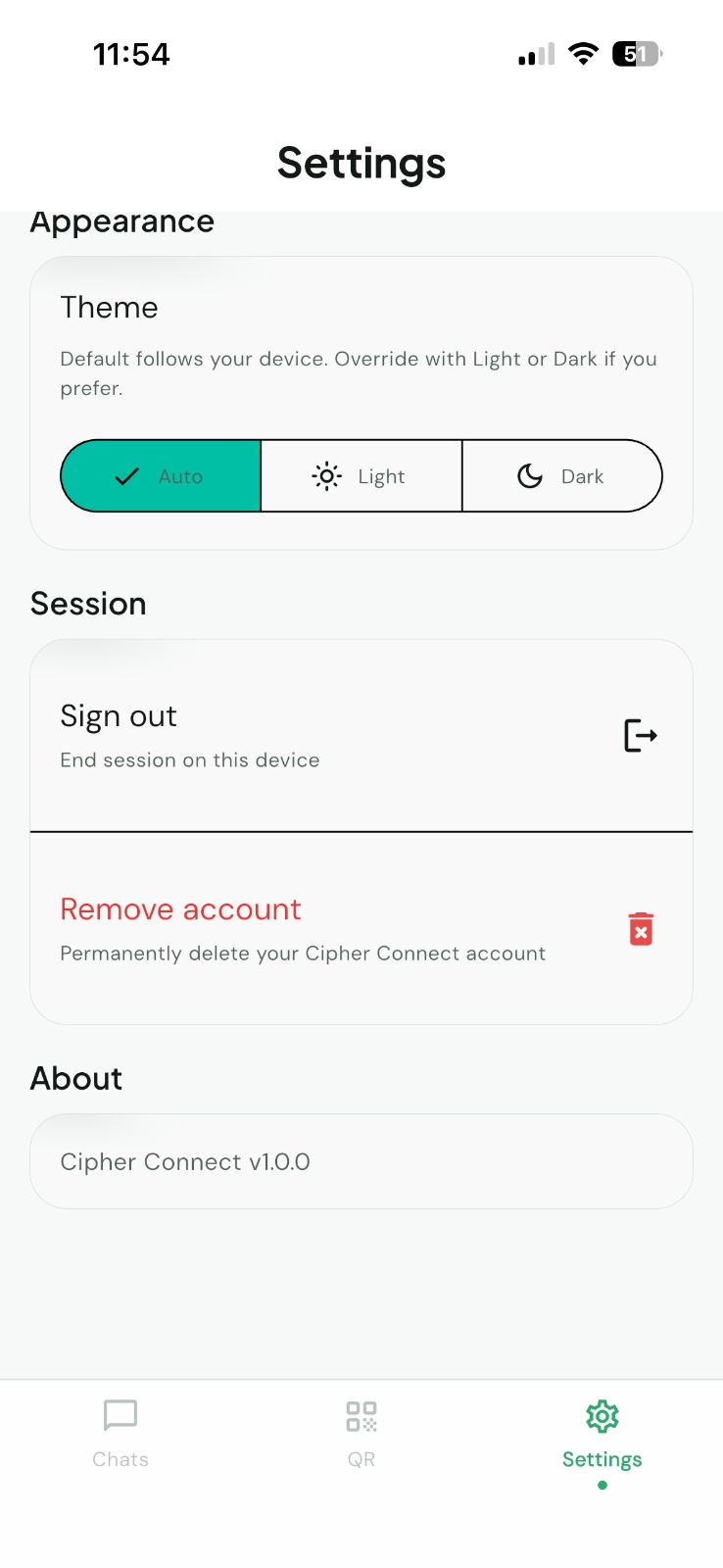
Settings → Remove account -
Review the warning, then confirm to permanently delete your account.
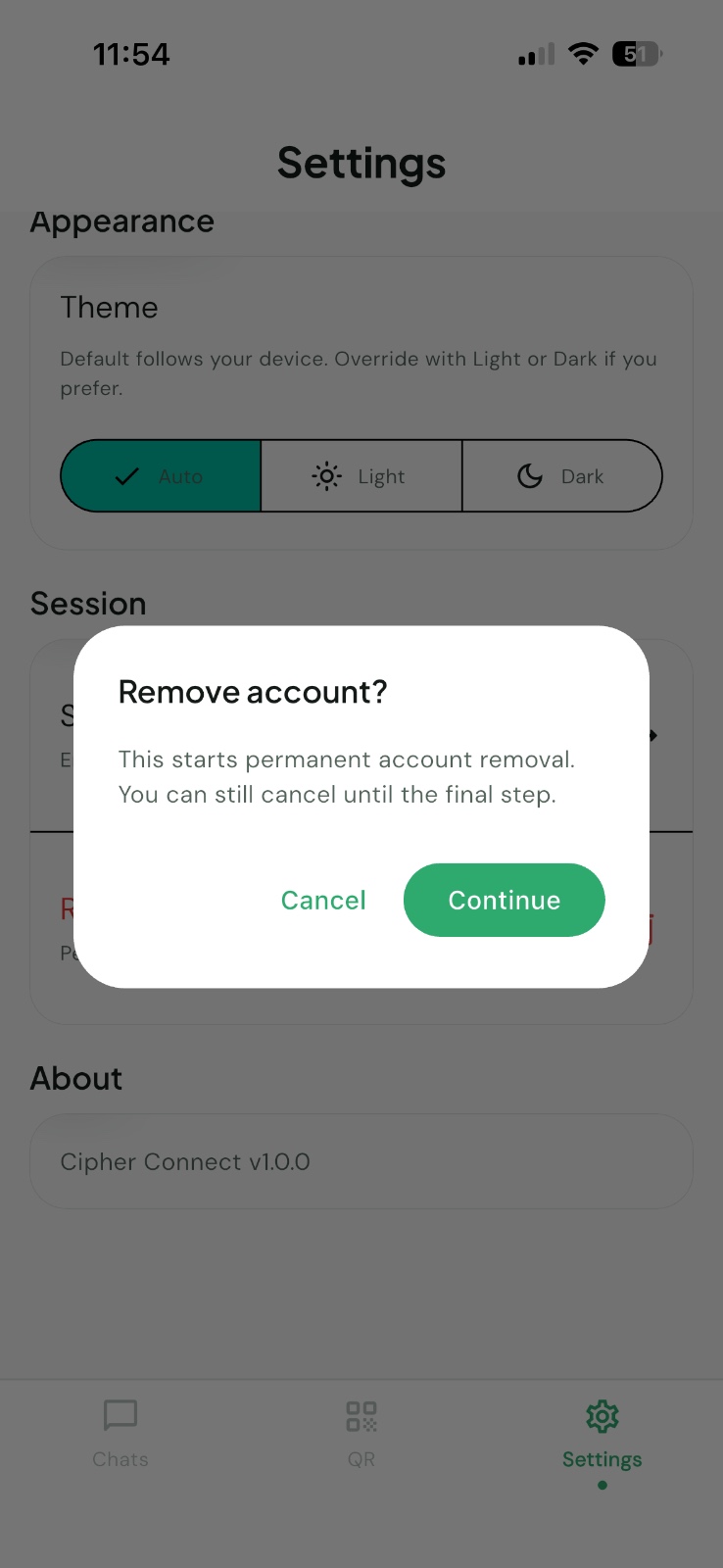
Confirm account removal
Before you continue
- Account deletion is immediate and cannot be undone.
- You will be signed out on all devices linked to this account.
- If you only want to stop notifications, adjust them in Settings instead of deleting your account.
Need help?
If you cannot access the app or have trouble completing these steps, contact us through our Contact page and we will assist you.